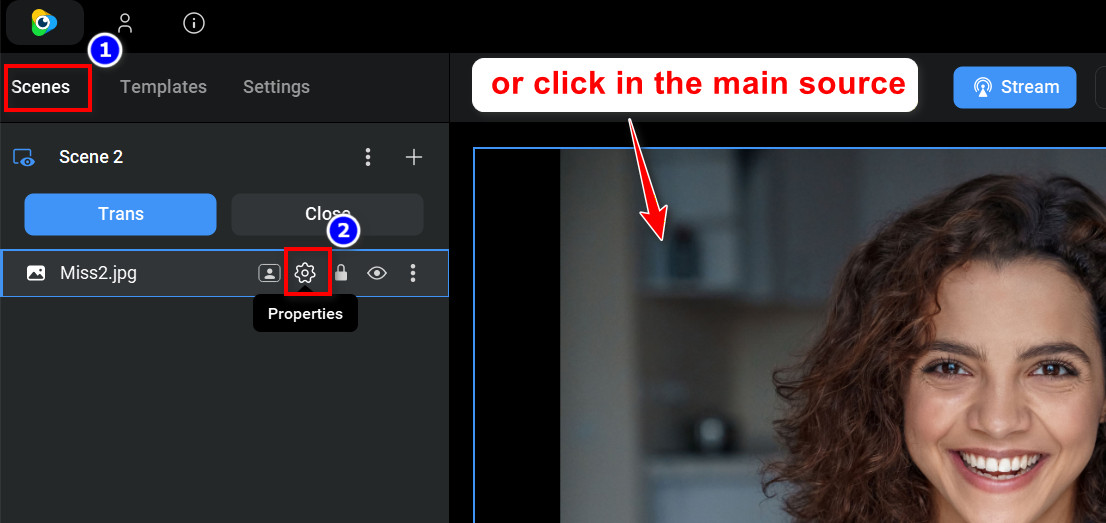
Go to Layer Settings of your source. There are two ways to do this:
- From Scenes tab, click on the Properties icon of your source,
- or just click on the main window.
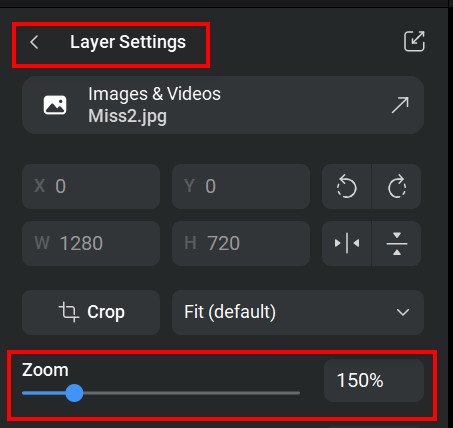
From the Layer Settings window, go to Zoom section and drag the slider left to zoom out or right to zoom in.
To zoom in and out using the mouse, hold down the [Ctrl] key while you turn the mouse wheel.
After zooming, in order to move the zoomed area within a layer, drag it with your mouse while holding down the [Ctrl] key (Windows) or the [Cmd] key (macOS).